
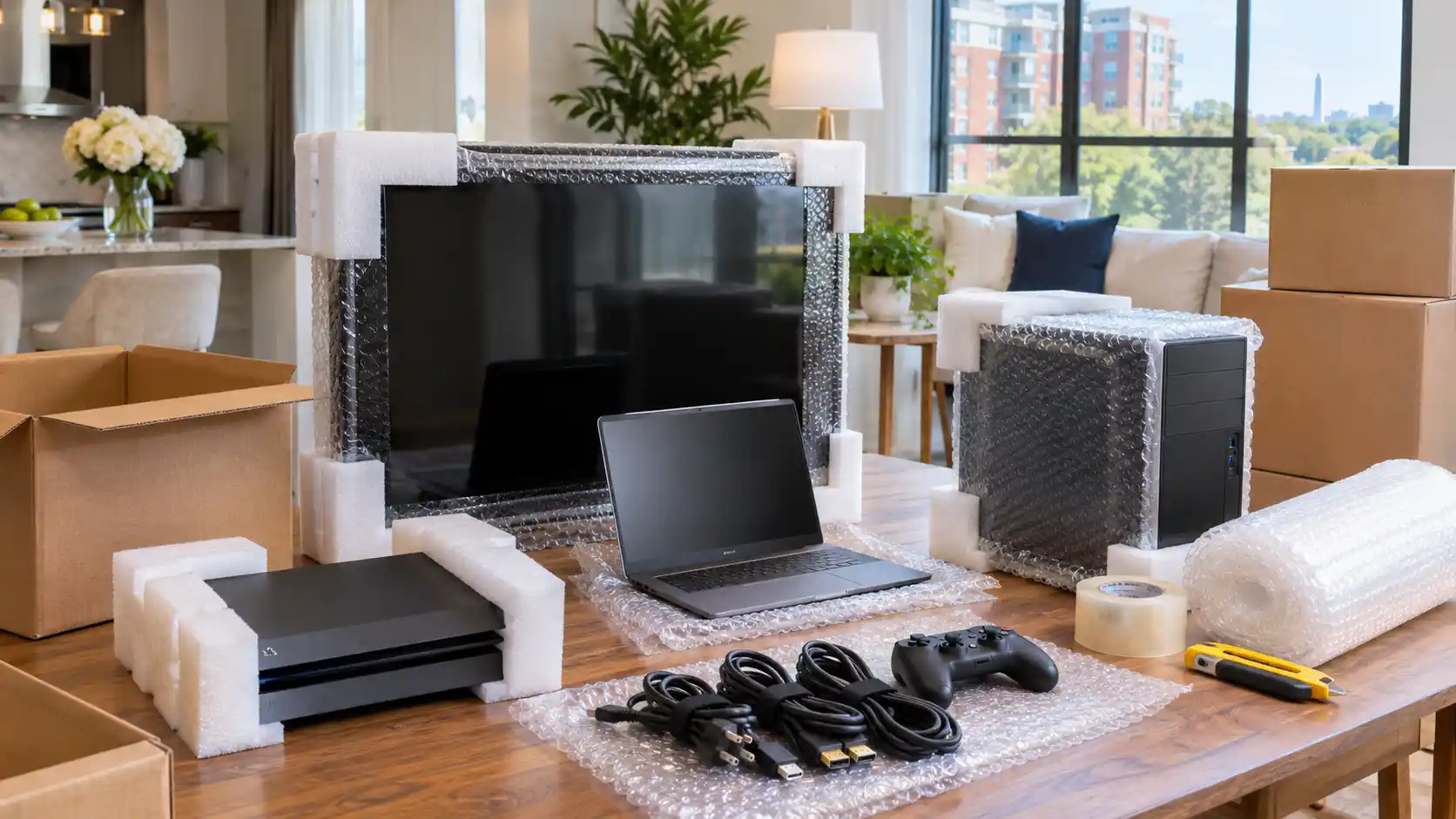
How to pack electronics for moving safely starts before the first device goes into a box. Computers, televisions, monitors, gaming consoles, routers, printers, speakers, and smart-home devices need protection from impact, vibration, pressure, moisture, static electricity, and simple packing mistakes.
The physical device is only part of what you are protecting. A computer may contain years of photos and work files. A television may have a thin display panel that cannot handle the same pressure as ordinary household goods. A box of unidentified cables can turn setup at the new home into hours of frustration.
A better approach is to prepare each device, document its setup, separate removable components, use suitable cushioning, and pack everything so it cannot shift during transportation.
If you are already working through the rest of your household, Restorify Moving’s packing services page explains the packing support available for residential moves.
Table of Contents
- Back up important data before packing
- Photograph your electronics before disconnecting them
- Build an electronics packing kit
- Use original boxes whenever they are still usable
- How to pack electronics for moving without original boxes
- How to pack TVs and monitors
- How to pack desktop computers and laptops
- Pack consoles, audio equipment, routers, and small electronics
- Handle printers and scanners differently
- Label cables and boxes for easier setup
- Plan differently for long-distance moves and storage
- Electronics packing checklist
- Common electronics packing mistakes
- When professional packing may make sense
Back Up Important Data Before You Touch the Cables
The most valuable part of a computer may not be the computer itself.
Before packing a desktop, laptop, external drive, or other device containing important files, create a current backup. Physical protection cannot guarantee that a storage drive will never fail.
Apple recommends backing up Mac files with options such as Time Machine, iCloud, or another storage device. Microsoft likewise recommends cloud or external-drive backups for Windows data.
Before how to pack electronics for moving becomes a question about boxes and padding, complete these digital steps:
- Back up important documents, photos, videos, and work files.
- Confirm that the backup actually completed.
- Make sure you know passwords needed to sign back into essential accounts.
- Encrypt sensitive data when appropriate.
- Keep especially important backup drives separate from the computer they back up.
For example, backing up a desktop to an external drive and then packing that drive inside the same computer box creates a single point of failure. If possible, transport the backup separately.
FedEx’s computer-packing guidance also recommends backing up stored data and considering encryption or removal of confidential information before transportation.
Photograph Everything Before Disconnecting It
One of the easiest ways to simplify unpacking costs nothing.
Before unplugging a television, desktop computer, gaming setup, sound system, router, or home-office workstation, take clear photos of the back of the equipment while everything is connected.
Take enough photos to see:
- Which cable connects to each port
- Which power adapter belongs to which device
- HDMI and DisplayPort connections
- Speaker wiring
- Router and modem connections
- Monitor arrangements
- USB hubs and docking stations
- Gaming-console accessories
FedEx specifically recommends photographing a computer before disassembly so the connections can be recreated later.
This is one of the practical details that appears repeatedly in real-world moving discussions as well. People often focus so heavily on protecting the electronics that they forget about rebuilding the setup after delivery.
Restorify’s broader packing tips for an Arlington move also emphasize organizing secondary electronics and loose cables before moving day.
Build an Electronics Packing Kit Before You Start
Learning how to pack electronics for moving is much easier when all the right supplies are available before equipment is disconnected.
Useful materials can include:
- Sturdy corrugated boxes
- Original device packaging
- Specialty TV or monitor boxes
- Anti-static protective material where appropriate
- Bubble cushioning
- Foam corner protectors
- Packing paper
- Moving blankets
- Resealable bags for small components
- Cable labels
- Permanent markers
- Packing tape
- Painter’s tape for certain temporary labels
- Screen-protection material
- Small boxes for accessories
Do not assume every loose-fill material is appropriate for electronics. UPS notes that conventional expanded-polystyrene loose fill can generate static electricity and recommends anti-static foam for electronic items along with protective bubble sheeting.
The goal is not simply to create a soft box. The goal is to stop movement while preventing concentrated pressure on screens, ports, buttons, and other vulnerable areas.
Use Original Boxes When They Are Still in Good Condition
If you kept the manufacturer’s original packaging, inspect it before buying a replacement box.
Original packaging often has fitted foam or molded inserts designed around the exact shape of the device. That can be particularly useful for:
- Large televisions
- Curved monitors
- Desktop computers
- Gaming consoles
- Speakers
- Projectors
- Specialty electronics
This advice also appears consistently in moving-community discussions. People moving computers, OLED televisions, and monitors frequently recommend retaining the original packaging because it controls movement and supports vulnerable corners better than an improvised box.
Original packaging is not automatically safe, however. Do not reuse a box that is wet, crushed, torn, or structurally weak.
Also check whether you still have all the original inserts. A manufacturer’s box with missing internal supports may leave the device free to move.
How to Pack Electronics for Moving Without Original Boxes
Most people do not keep every electronics box they have ever received.
Fortunately, how to pack electronics for moving without original packaging is mainly a matter of recreating the protection the original packaging provided.
Start with a sturdy box large enough for protective cushioning around the device. The equipment should not touch the outer walls of the box directly.
For fragile or expensive electronics:
- Remove detachable accessories where appropriate.
- Protect the device with suitable non-abrasive material.
- Add corner protection.
- Place the device in a sturdy inner box when additional protection is needed.
- Fill empty spaces so the device cannot shift.
- Avoid applying excessive pressure to screens or thin panels.
- Seal all box seams securely.
- Label the box according to its contents and required orientation.
FedEx recommends sturdy outer boxes, appropriate cushioning and, for some computers, double-boxing to create multiple protective layers.
A useful test is to gently move the sealed box. You should not feel the equipment sliding from one side to the other.
If you are packing the rest of a home at the same time, Restorify’s residential moving services page covers household packing and transportation options for fragile and valuable belongings.
How to Pack TVs and Monitors for Moving
Large flat screens deserve their own packing method.
A television should not be treated like a piece of ordinary furniture. The panel is thin, wide, and vulnerable to pressure, flexing, vibration, and impact.
Remove detachable components
Where the manufacturer permits it, remove:
- TV stands
- Monitor bases
- Wall-mount hardware
- External streaming devices
- Remotes
- Power cords
- HDMI cables
FedEx recommends removing stands, mounts, and other peripherals before packing a TV or monitor.
Place screws and mounting hardware in a labeled bag. Do not leave loose metal components where they can contact the screen.
Protect the screen without creating pressure
Use a soft, clean protective layer against the display before adding thicker cushioning.
Do not place remotes, cables, mounting brackets, or other hard objects against the screen.
Specialty television and monitor boxes are useful when the original packaging is unavailable because they are designed around the unusual proportions of flat-panel displays.
Keep large TVs upright when the manufacturer requires it
Manufacturer instructions should take priority because television designs differ.
Sony support recommends transporting TVs upright because vibration while the television is lying flat can potentially damage the screen. An LG television manual similarly advises transporting the TV upright, protecting it from excessive vibration, and using the original box or packing material when possible.
Moving-community discussions repeatedly echo the same concern, particularly for larger displays and monitors.
Before packing an expensive television, check the owner’s manual for that specific model.
How to Pack Desktop Computers and Laptops
Desktop computers present a different problem: the outside case may look strong, while heavy components inside can still experience stress during transportation.
Desktop computers
Before packing a desktop:
- Complete a current data backup.
- Shut the computer down normally.
- Disconnect the power.
- Photograph the rear connections.
- Remove external USB devices and peripherals.
- Pack keyboards, mice, cables, and accessories separately.
- Protect the case from movement inside the box.
- Follow manufacturer instructions for internal components.
People with custom gaming PCs often discuss removing very heavy graphics cards before long-distance transportation. That can reduce stress on the motherboard, but it is not a universal recommendation for every computer.
If you are not experienced with computer hardware, do not start removing internal components simply because somebody online recommended it. Check the computer manufacturer’s or system builder’s transportation guidance first.
FedEx recommends ensuring that computer packaging can handle the weight of installed internal components and packing accessories separately.
Laptops
Laptops are easier to carry but still require protection.
For how to pack electronics for moving when the device is a laptop:
- Shut it down instead of leaving it running in a bag.
- Disconnect chargers, docks, and peripherals.
- Use a padded sleeve or protective layer.
- Place the protected laptop inside a sturdy box if it will travel with household goods.
- Keep heavy items away from the laptop.
- Pack the charger where it can be easily identified.
When practical, many people prefer keeping laptops and other small high-value electronics with them rather than placing them deep inside a moving shipment.
Pack Gaming Consoles, Speakers, Routers, and Small Electronics Separately
The same principles apply to smaller electronics, but organization becomes even more important because there are usually dozens of accessories.
Gaming consoles
Before packing:
- Eject discs.
- Fully power down the console.
- Remove external drives where appropriate.
- Disconnect controllers and cables.
- Pack accessories in a labeled bag or smaller accessory box.
- Cushion the console so it cannot move inside its box.
Routers and modems
Photograph the setup first.
Label the modem, router, power supplies, Ethernet cables, and any mesh-network nodes. If equipment belongs to your internet provider, keep it clearly identified so it is not confused with personal electronics.
Speakers and audio systems
Protect speaker surfaces, corners, knobs, and connection terminals.
For multi-speaker systems, label each speaker by its original room position or channel. Reconnecting “rear left,” “rear right,” and “center” is much easier than trying to identify identical speakers after arrival.
Smart-home equipment
Keep hubs, power supplies, sensors, remotes, and adapters together by system.
A small labeled bag inside the main device box is much better than one large container filled with unrelated cords.
This is where knowing how to pack electronics for moving becomes as much an organization problem as a cushioning problem.
Printers and Scanners Need Their Own Preparation
Printers are commonly packed like ordinary electronics, but ink and toner introduce additional risks.
FedEx recommends removing printer cartridges and placing them inside sealed plastic bags to reduce the chance of ink or powder leaking into the box. It also advises securing movable doors and components and packing removable paper trays separately.
For scanners, check the owner’s manual. Some models have a transportation lock designed to keep the scanner carriage from moving during transit.
Do not force a carriage, lock, or internal component if you do not understand how it works.
The safest rule is simple: check the manufacturer’s moving or transportation instructions before preparing equipment with moving internal parts.
Label Cables So Unpacking Takes Minutes Instead of Hours
A common electronics-packing mistake happens before anything goes into the truck: every cable is thrown into one large box.
Instead, group accessories by device.
For example:
Living Room TV
- TV power cord
- HDMI 1
- HDMI 2
- Remote
- Streaming-device power adapter
- Wall-mount hardware
Home Office Desktop
- Desktop power cable
- Monitor power cable
- Display cable
- Keyboard
- Mouse
- Webcam
- Dock
- USB hub
Label both the equipment box and accessory bag.
For complicated setups, number the cables and add matching numbers to a photo of the ports.
This simple step makes how to pack electronics for moving much more useful after the move, when the real goal is getting everything working again.
Long Distance Moves Require More Protection Against Movement
A ten-minute trip across town and a multi-state relocation expose boxes to very different conditions.
Longer journeys involve more:
- Road vibration
- Handling
- Loading and unloading
- Time inside the vehicle
- Temperature changes
- Opportunities for boxes to shift
If the electronics are traveling farther, consider stronger boxes, better corner protection, specialty screen boxes, and double-boxing especially valuable equipment.
Restorify’s long-distance moving services include packing options for longer relocations, making that page the relevant next step for readers planning an interstate move.
For interstate household moves, it is also worth understanding what happens if an item is damaged. FMCSA explains that interstate movers must offer different liability options, including Full Value Protection and Released Value, and notes that self-packed boxes can make some damage claims more difficult to establish.
That does not mean you should assume a particular electronic device is covered in a particular way. Review the mover’s written terms, inventory requirements, exclusions, and valuation choices before moving expensive electronics.
How to Pack Electronics for Moving Into Storage
Electronics going directly into storage need another layer of planning.
Temperature, humidity, dust, and long periods without inspection can matter more during storage than during the transportation itself.
Before storing electronics:
- Make sure equipment is clean and completely dry.
- Remove loose accessories.
- Label every box.
- Keep boxes off areas where they could be exposed to water.
- Avoid excessive stacking pressure.
- Check manufacturer storage-temperature guidance.
- Consider climate-controlled storage for temperature-sensitive equipment.
- Keep an inventory of what was stored.
Restorify’s moving and storage services specifically include packing and crating for delicate items such as electronics, while the long-term storage packing guide provides additional guidance for items remaining stored for extended periods.
Do not assume that putting an electronic device inside an airtight plastic bag automatically makes it safer. Trapped moisture can create a different problem.
Electronics Moving Checklist: 11 Steps Before Sealing the Box
Use this checklist when deciding how to pack electronics for moving:
- Back up important files.
- Confirm the backup works.
- Photograph the complete setup.
- Shut devices down properly.
- Disconnect and label every cable.
- Remove detachable components when manufacturer instructions allow it.
- Bag and label screws, adapters, remotes, and accessories.
- Use original or appropriately sized specialty boxes when available.
- Add suitable cushioning and eliminate empty-space movement.
- Follow manufacturer instructions for screen orientation and internal components.
- Clearly label each box and keep an inventory of valuable electronics.
For the rest of your household, the local moving services page outlines packing, loading, transportation, and temporary-storage options for moves throughout Northern Virginia and Washington, DC.
Common Mistakes When Packing Electronics
Understanding how to pack electronics for moving also means knowing what not to do.
Packing electronics before backing up data
A perfect box cannot recover an irreplaceable file if a drive fails.
Putting a television flat without checking the manual
Some manufacturers specifically recommend upright transportation. Follow the instructions for your exact model.
Allowing equipment to shift inside the box
Empty space allows repeated impacts as the vehicle accelerates, brakes, and turns.
Pressing accessories against a display
A remote control, metal stand, or cable connector can create concentrated pressure against a screen.
Using the wrong protective material
Electronics may require anti-static materials rather than ordinary loose fill.
Mixing every cable together
This saves a few minutes while packing but can create hours of work during setup.
Packing powered-on equipment
Shut devices down completely and allow equipment that generates heat to cool before packing.
Assuming every mover handles electronics the same way
Ask what the mover packs, what the customer is expected to disconnect, whether specialty boxes or crating are available, and how high-value electronics should be documented.
For businesses relocating computers, monitors, servers, or network equipment, household advice is not enough. Restorify has a separate server room and IT equipment relocation guide for the additional planning involved with commercial technology.
When Professional Packing May Be Worth Considering
You can pack many household electronics yourself when you have suitable boxes, enough time, and the manufacturer’s instructions.
Professional packing may be worth considering when you have:
- Several large televisions
- Expensive monitors
- Multiple desktop workstations
- Large audio systems
- Fragile or unusually shaped electronics
- A long-distance relocation
- Electronics going into temporary storage
- Limited original packaging
- Very little time before the move
The important question is not simply whether somebody else can put the equipment into a box. It is whether the packing method gives the device suitable protection and whether responsibilities are clear before moving day.
Restorify Moving offers both full and partial professional packing services, so households can request help with selected fragile categories rather than necessarily outsourcing every box.
Before booking, discuss the specific electronics you need packed and confirm what preparation you are responsible for, including data backups, device shutdown, cable disconnection, passwords, or third-party IT work.
A Better Electronics Move Starts Before Moving Day
The key to how to pack electronics for moving is planning for both sides of the move.
Protect the equipment physically, but also protect your files. Cushion the screens, but also label the cables. Pack the device securely, but also make sure you know how it will be reassembled at the destination.
Original packaging, sturdy boxes, proper cushioning, anti-static materials where appropriate, clear labeling, and manufacturer-specific instructions can dramatically reduce avoidable packing problems.
And when an item is particularly expensive, complicated, or fragile, do not guess. Check the manufacturer’s instructions and discuss its handling requirements with your mover before moving day.
If you want professional help packing electronics or other fragile household belongings, you can request a free moving quote from Restorify Moving and describe the items that need special packing attention.